
1. Install from Google Play
Use the button below to install Senior Voice Keyboard.
Get Senior Voice Keyboard ↗Getting started / SENIOR VOICE KEYBOARD
A gentle guide from installation to your first message.
Use the button below to install Senior Voice Keyboard.
Get Senior Voice Keyboard ↗Open the app and follow the instructions to enable the keyboard. Menu names can vary slightly by device.
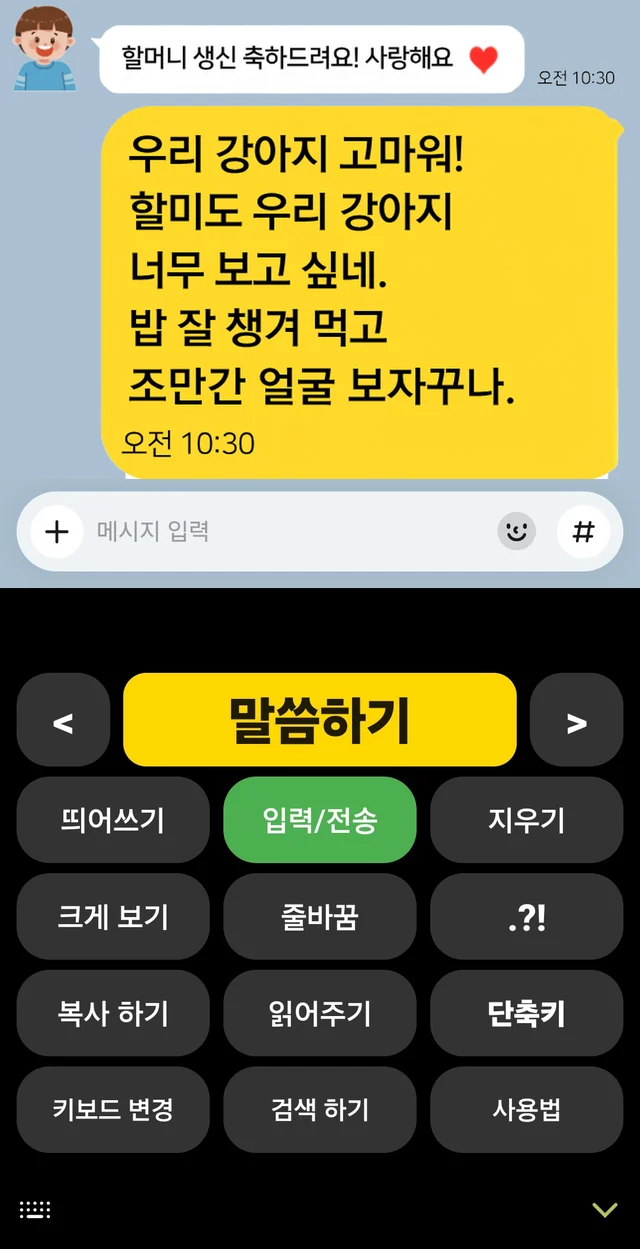
Choose the keyboard in your KakaoTalk conversation and tap the yellow Speak button. You can review the text before sending.
Visit the BloomSoft YouTube channel for app updates and behind-the-scenes stories.
Menu names and locations may vary by device maker and Android version.